


Plant Identifier - Scan & Care
3.930.00 Reviews
App Specs
- Version
- 1.3.1
- Updated On
- License
- Free
- Downloads
- 1,000,000+
- Developer
- ZAppsolution
- Categories
- Education
- Platform
- Android
Screenshots
 Analysis by AppCompare
My first rule with any plant-identification app is to treat a scan as a useful lead, not a final botanical ruling. A leaf photo can point me toward a likely match, but lighting, the angle, and the plant’s condition all affect what a camera can recognize. That makes Plant Identifier - Scan & Care most valuable as a practical starting point: it can help turn “What is this?” into a better-informed next step, whether I’m looking at a houseplant or something growing along a trail.
A repeatable routine beats a rushed scan
When I want an identification I can trust, I take a moment to frame the plant clearly rather than snapping whatever happens to be in front of me. I try to include a healthy, distinctive leaf and keep unrelated foliage out of the shot. If the plant has flowers, fruit, or an unusual stem, those details can help me compare the suggested result with what I can actually see. This is a simple habit, but it makes an AI-based identification more useful than a quick, blurry picture.
I also avoid making care decisions from one image alone. A plant that looks droopy might be thirsty, but it could also be reacting to too much water, a change in light, or a damaged root system. I use a scan to narrow down what I’m dealing with, then check the plant’s real conditions before changing its routine. The app’s care guidance can help me ask the right questions; it shouldn’t replace paying attention to the soil, leaves, and growing space.
What to check before relying on care advice
Plant care is full of context. “Bright light” means something different beside a shaded window than it does on a sunny sill, and watering needs change with pot size, room conditions, and the season. I read any care suggestion as a baseline rather than a command. If advice seems at odds with what the plant is doing, I make one small adjustment at a time and watch for a response instead of changing water, light, and soil all at once.
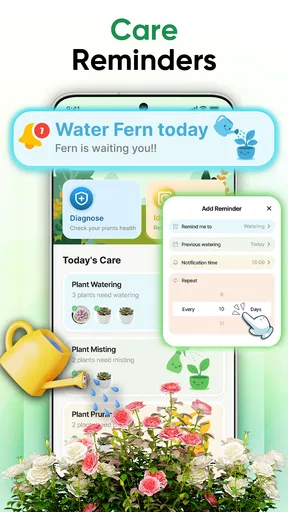
It’s also worth deciding how you want to use reminders before building a routine around them. A notification can be a helpful prompt to inspect a plant, but it cannot know whether the soil is still damp or whether a recent spell of cooler weather has slowed growth. I’d use an alert as a cue to check, not an instruction to water automatically. That small distinction can prevent the common mistake of following a calendar when the plant’s actual condition says otherwise.
Where this app fits among plant tools
For a casual owner, the appeal is having identification and care information together instead of juggling a camera search, gardening articles, and a separate notes app. A general image search can be useful when I want to compare several visual matches, while a gardening guide may offer more depth on a particular species or local growing conditions. This app’s value is the shorter path from a photo to a plant-focused next step, not a guarantee that it replaces specialist references.
I’d be more cautious if I were dealing with a plant I might eat, touch, or use medicinally. A phone-based match is not enough to establish that a wild plant is safe, and a mistaken identification can have serious consequences. In that situation, I’d consult a qualified local expert or a dependable field guide and avoid handling or consuming the plant until its identity is certain. For ordinary curiosity and household care, the stakes are lower, and a scan can be a convenient way to get oriented.
Worth Reading Before You Choose

Switching to Android Auto Means Rethinking Your Driving Routine

Google Calendar Makes a Crowded Week Easier to Manage

Baby Panda World Brings Quick Play to Modern Phones, but Its Game Library Feels Busy

ESPN’s Live Game View Makes Following Close Games Easier

QuizzLand Review: A Good Fit for Short Trivia Breaks, Not Every Player

Basketball Stars: Multiplayer Is Fast, but Can It Recover When Matches Go Wrong?
Who is likely to get the most from it
The app makes sense for someone who has inherited an unlabeled pot, is learning the names of common plants, or wants a more organized way to think about a small collection. It can also suit a parent or teacher who wants to turn a walk into a quick learning moment, as long as the result is treated as a suggestion to investigate rather than a definitive lesson. If you already know your plants and prefer detailed horticultural sources, you may get more from a specialist reference; if you only need an occasional name, a standard image search may be enough.
A realistic use case is bringing home a plant from a friend without its label. I’d photograph its distinctive leaves, check the suggested identity, and then compare its current light and watering setup with the care advice. I’d note what I changed and observe it over the next few days rather than making several corrections at once. That approach turns the app into part of a sensible plant-care routine instead of a source of guesses to follow blindly.
Practical details and expectations
As an education app from ZAppsolution, Plant Identifier is free to install, with optional in-app purchases listed from $3.99 to $24.99 per item. It is rated for Everyone, has an average rating of 4.0 from around 9,700 ratings, and has been installed over a million times. Those figures suggest that it has found a broad audience, but they don’t tell me whether a particular identification will fit a particular plant; checking the result against visible features remains worthwhile.
The app was released on August 23, 2025, and version 1.2.8 requires Android 8.0 or later. Before settling into a daily routine, I’d check the app’s current settings and purchase screen so I understand which options are free and which are paid. I’d also make sure I can take a clear photo in the conditions where I plan to use it. These small checks help set realistic expectations without turning plant care into a complicated project.
For a hike, I’d use it to explore a plant I’m curious about, then leave it alone rather than treating the result as a safety check. At home, I’d use it to identify an unfamiliar pot and build a more informed care routine, while keeping my own observations in the lead. That split—curiosity outdoors, cautious follow-through indoors—is where an identifier is most helpful and least likely to mislead.
Getting Started with Plant Identifier
Once you’ve downloaded Plant Identifier, the setup is a breeze. The app greets you with a clean and intuitive interface that’s as friendly as a sunflower on a summer day. You’re not bombarded with pop-ups or unnecessary tutorials. It’s just you and a sleek design that begs you to start exploring.
Scanning and Identifying Plants
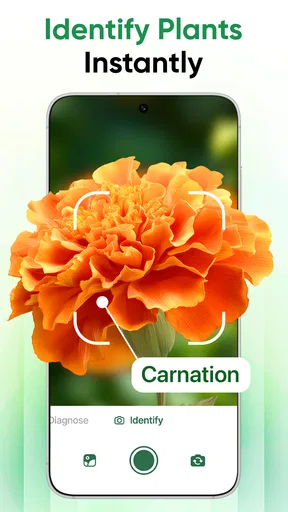
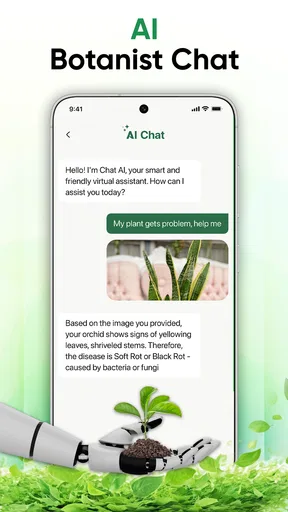
So, how does the magic happen? With just a few taps, you can scan any plant using your phone’s camera. The app uses a sophisticated AI to analyze the image and provide you with detailed information about the plant species. Whether it’s a common daisy or a rare orchid, Plant Identifier has you covered.
What I found particularly impressive is the speed and accuracy. The app delivers results in seconds, and the identification is usually spot-on. It’s like having a botanist in your pocket! Plus, the app offers a snippet of fun facts about the plant, which is great for impressing friends at parties.
Taking Care of Your Green Friends
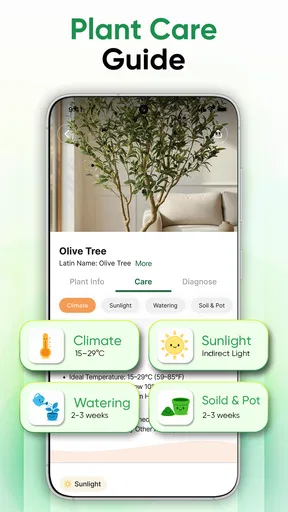
Identifying a plant is only half the battle; knowing how to care for it is where the real challenge begins. This app doesn’t leave you hanging. It provides personalized care tips based on the specific needs of each plant. Watering schedules, sunlight preferences, soil types—you name it, the app has it.
One of the standout features here is the care alert system. If your plant needs watering or if it’s time to trim those pesky leaves, the app will kindly remind you. It’s like having a green thumb without actually having one.
Extra Features Worth Mentioning
Aside from its core features, the app offers a plant journal where you can track the growth and health of your plants over time. This feature is particularly useful for plant enthusiasts who love to document their gardening journey.
There’s also a community forum where users can share tips, ask questions, and connect with fellow plant lovers. It’s a nice touch that adds a sense of community to the app, making it more than just a tool, but a social experience.
Final Thoughts
Overall, Plant Identifier - Scan & Care is a must-have for anyone with even a passing interest in plants. It’s user-friendly, informative, and genuinely helpful in both identifying and caring for plants. Whether you’re a seasoned gardener or a curious beginner, this app will surely enhance your green adventures.
So, next time you’re out and about or tending to your home garden, give this app a whirl. You might just discover a new favorite plant or finally figure out why your fern looks so sad. Happy planting!
Pros
- Easy to use with a simple interface.
- Identifies plants with high accuracy.
- Provides detailed care tips for plants.
- Includes a vast database of plants.
- Regular updates with new features.
Cons
- Some features require a subscription.
- Occasional lag in image processing.
- Limited offline functionality.
- Ads can be intrusive at times.
- Requires a stable internet connection.
FAQs for Plant Identifier - Scan & Care
What features does Plant Identifier - Scan & Care offer?
Plant Identifier - Scan & Care provides a comprehensive suite of features, including plant identification through photo scanning, detailed plant care guides, and a plant health checker. Users can simply take a picture of any plant to receive instant information about its species, care tips, and potential issues it may face.
Is Plant Identifier - Scan & Care free to use?
The app offers both free and premium versions. The free version allows for basic plant identification and access to limited care guides. However, the premium version provides a more extensive database, ad-free experience, and additional features such as plant health monitoring and personalized care reminders.
How accurate is the plant identification feature?
The plant identification feature uses advanced AI algorithms to recognize thousands of plant species with a high degree of accuracy. It continuously updates its database to improve identification precision. However, factors like image quality and plant condition can affect results, so it’s recommended to use clear, well-lit photos.
Can Plant Identifier - Scan & Care help with plant health issues?
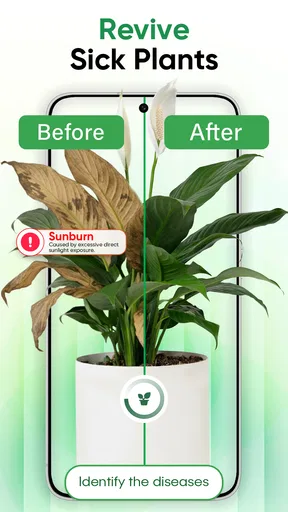
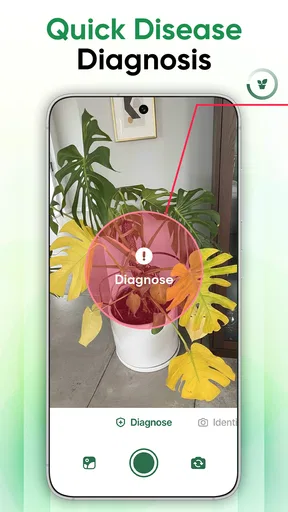
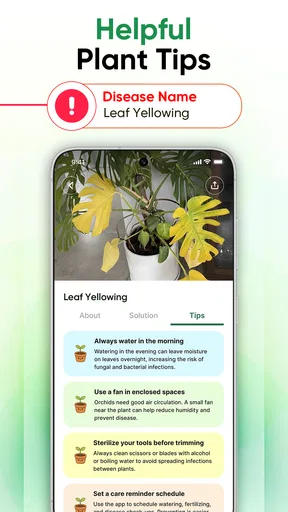
Yes, the app includes a plant health checker that analyzes potential health issues. It offers guidance on detecting signs of pests, diseases, or nutrient deficiencies. Users receive tailored advice on how to treat and prevent these issues, helping to maintain optimal plant health.
Is an internet connection required to use the app?
An internet connection is necessary for the initial plant identification as it accesses a comprehensive online database. However, once identification and care information is downloaded, users can access these offline for future reference, making it convenient for use in remote gardening locations.


